

How to Check On Computer Uptime
Method 1:
, the most popular operating system Windows is the world's most widely-used operating system.Step 1
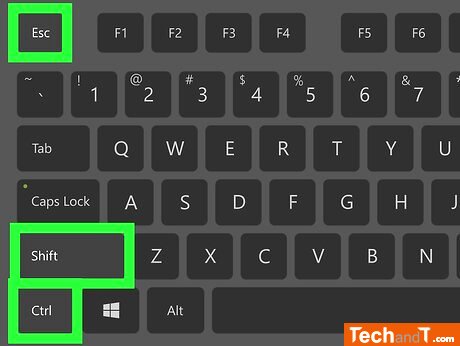
To access the Task Manager, the following methods can be used: press Esc while simultaneously holding down Shift and Control keys, press Delete while pressing Alt and Control keys and select Task Manager, or type task manager into the Start search bar and select the app from the results.
Step 2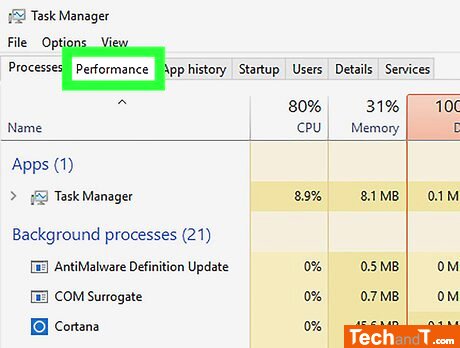
To view the Performance tab, click it at the top of the Task Manager window.
Book a service online
Step 3
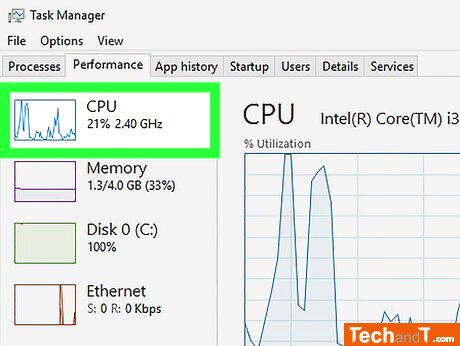
From the Task Manager window on the left, click the CPU tab. Note that this step can be skipped if you have a Windows 7 or earlier operating system.
Step 4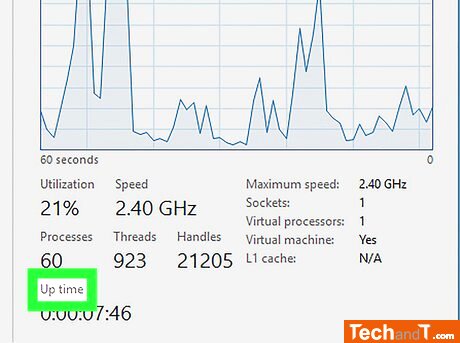
Look for the heading titled Up Time in the lower part of the Task Manager window.
Step 5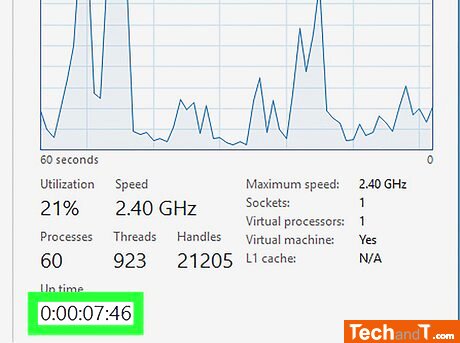
Observe the number next to the Up Time label. This figure, which will be shown in DD:HH:MM:SS style, shows the duration of time your computer has operated since you shut it off last. For instance, an Up Time value of 01:16:23:21 means your computer has been running for one day, sixteen hours, twenty-three minutes, and twenty-one seconds without powering down.
TimeScale:
Approx. Time Required: 10 Minutes