

Be a Computer Expert
Method 1:
Gaining an understanding of the fundamentals of computer hardware.Step 1

If you're a beginner to using a computer, obtaining a book specifically for newbies is a smart way to complete any gaps in your understanding. Consult a librarian for books aimed at computer novices, browse an online bookshop for for beginners computer literature, or try the following titles: PCs for Dummies, Macs for Dummies, Upgrading and Repairing PCs by Scott Mueller and How Computers Work by Ron White.
Step 2
If you want to increase your knowledge of computers, it's important to learn the different pieces of hardware that make up one. For example, the central processing unit, or CPU, is referred to as the computer's “brain” since it helps control the flow of information and is connected to the motherboard. RAM is used for temporarily storing data and it connects to the motherboard as well. Cards for sound, networking, and video can be added for more functions. Storage hubs, such as hard drives, CD/DVD-ROM drives and removable media like USB flash drives and SD cards, are all important for saving digital information.
Book a service online
Step 3
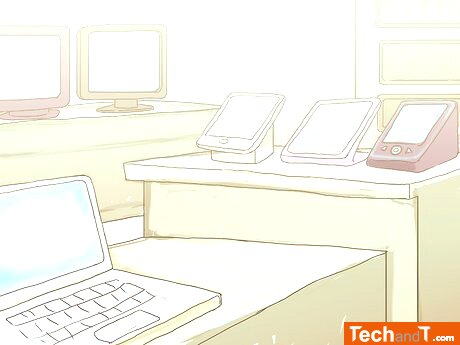
Visit a computer store to explore the newest technology. Look closely and note the RAM, CPU type and speed, and resolution info on each machine. Test various machines by opening the same program and compare the performance. Consult with a salesperson as to which computers are best for different jobs such as gaming or writing papers and check out the specs between them.
Step 4
See how they go about opening the computer, installing RAM, and replacing dead hard drives. Observe the process from beginning to the end and get a good understanding of how the tasks are completed. Watch YouTube videos of people doing such computer related activities.
Step 5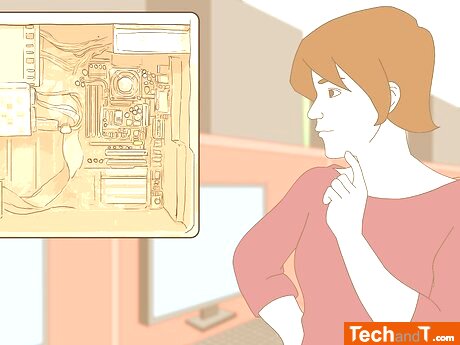
Open up your computer and identify each of the hardware components. If you're feeling sure and know what to do, you can peek inside the computer and check out how the hardware pieces attach together. If you're feeling unsure, get advice from someone familiar with PCs. Make sure the PC is resting on a solid work surface, and use grounding techniques if necessary, before opening the computer.
TimeScale:
Approx. Time Required: 10 Minutes