

Check System Info for Your Computer
Method 1:
Windows 11 is a Microsoft operating system that provides users with a range of powerful yet user-friendly features and tools.Step 1

To access your Windows Settings, press the Windows key and the letter 'I' on your keyboard, or by clicking on the Windows Start menu and selecting the gear icon.
Step 2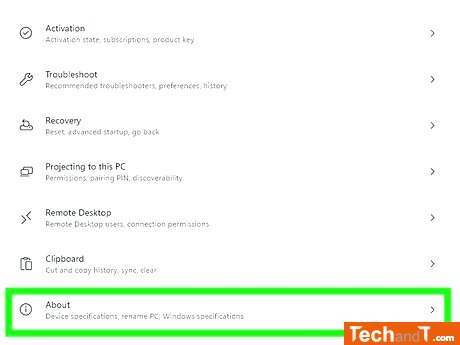
Scroll to the bottom of the right panel and click About. This will bring up the System page which will appear automatically as the default screen.
Book a service online
Step 3
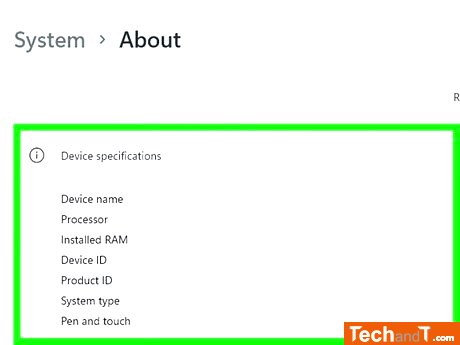
On this page, you can view several sections regarding your Windows system information. These include information about your device's specifications such as its name, processor, RAM, device ID, product ID and 32/64-bit setup. The Windows specifications gives details about the edition (e.g. Windows 11 Home), version, build number and experience. Support section gives info about the computer's manufacturer (e.g. Dell or HP) with a link to their support site. In addition, there are links to helpful info, like product key and activation info, Remote Desktop settings and a link to the device manager.
TimeScale:
Approx. Time Required: 6 Minutes