

Uninstall Bing Wallpaper
Method 1:
Removing the Bing Wallpaper ApplicationStep 1
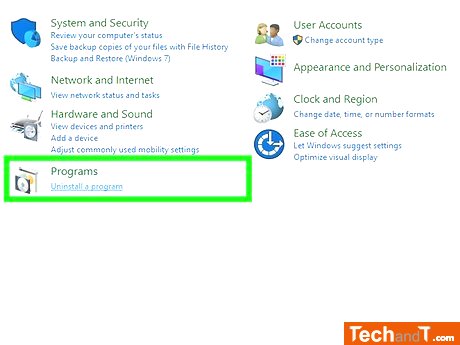
You can also access the Start Menu to find the Control Panel.
Step 2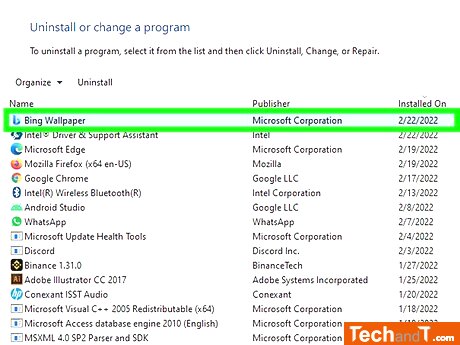
Press the Bing Wallpaper button to display extra options.
Book a service online
Step 3
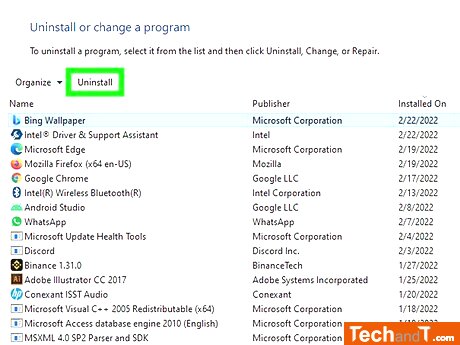
To start the process of uninstalling Bing Wallpaper, click the Uninstall button which is located above the programs listed near the Organize option.
Step 4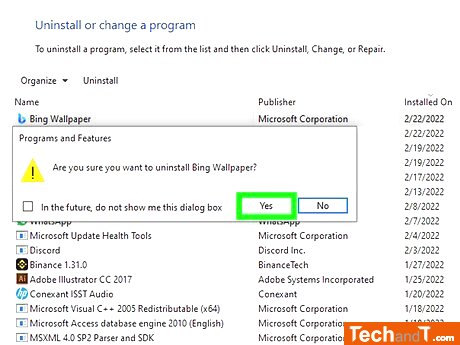
To uninstall Bing Wallpapers, go through the displayed steps. After clicking Yes twice, when prompted, wait until the app has been completely removed.
Step 5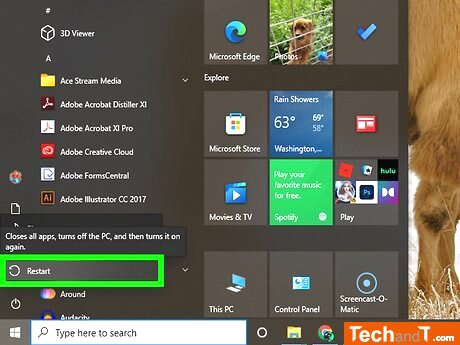
instructions for restarting your computer and perform the restart command after uninstalling the application. This will completely remove Bing Wallpaper from your device.
TimeScale:
Approx. Time Required: 10 Minutes