

Test Your Internet Speed
Method 1:
Conduct an online assessment of your connection speed.Step 1
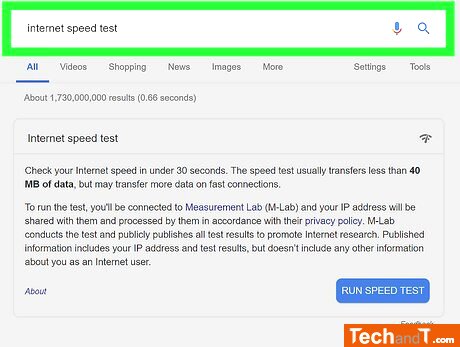
To access the speed test, go to Google in a web browser or open the Google app on your device and enter 'Internet Speed Test' into the search bar. A Internet speed test window will appear at the top of the Google search results. You can then use this tool to check the speed of your connection on your computer, phone, or tablet. If you would rather use an alternative, Fast.com is a good option.
Warning: Trying to access array offset on value of type null in /var/www/hallisoft.uk/public_html/tutorials/guide.php on line 200
Warning: Trying to access array offset on value of type null in /var/www/hallisoft.uk/public_html/tutorials/guide.php on line 207
Deprecated: explode(): Passing null to parameter #2 ($string) of type string is deprecated in /var/www/hallisoft.uk/public_html/tutorials/guide.php on line 207
Step 0

Warning: Trying to access array offset on value of type null in /var/www/hallisoft.uk/public_html/tutorials/guide.php on line 220
Deprecated: trim(): Passing null to parameter #1 ($string) of type string is deprecated in /var/www/hallisoft.uk/public_html/tutorials/guide.php on line 220
Book a service online
TimeScale:
Approx. Time Required: 2 Minutes