

View All Open Windows
Method 1:
, When you open the Run Dialog box, you can type commands to open applications When a user runs Windows 10, they can access the Run Dialog box, allowing them to type commands to launch apps.Step 1
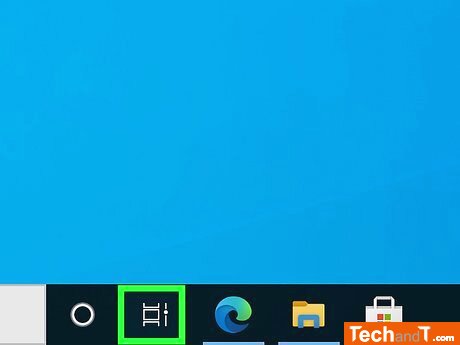
The Task View icon will be on the taskbar by default, and it appears as three rectangles with a slider on the right side. Selecting this icon will display all the open windows on one single screen, making it convenient to easily view everything.
Step 2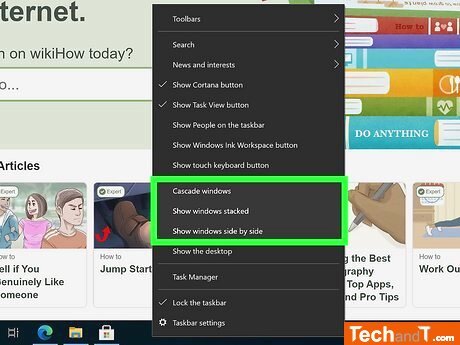
This option might not be available if all open windows can’t fit on the screen.
Book a service online
Step 3
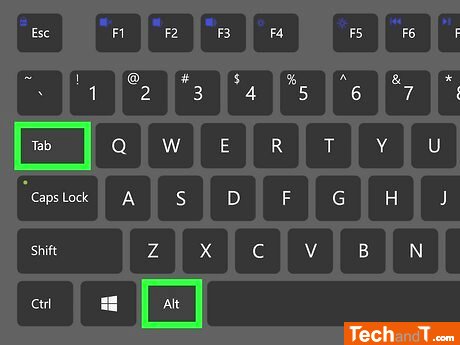
This is an easy way to switch between open apps on your computer without touching the mouse, and can also be used to quickly view all the open windows.
Step 4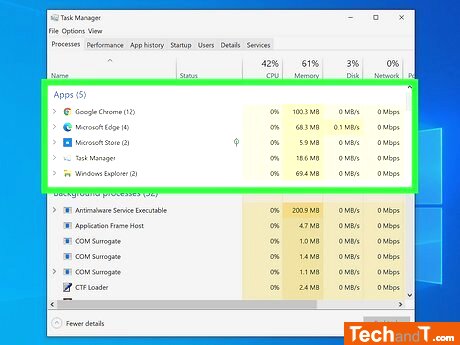
To launch Task Manager quickly, press Control + Shift + Esc simultaneously, or right-click the taskbar and select Task Manager.
TimeScale:
Approx. Time Required: 8 Minutes