

Explore Websites Anonymously and Privately
Method 1:
Browsing online with the Incognito Browser Method allows you to surf the web without leaving behind any trails of your Internet activity.Step 1

Search for a website that has your parents' approval. Then go to that website, and keep the page open.
Step 2
Go to the website you desire, then open the page in a new window or tab. Be mindful if someone is coming and can catch you, swiftly switch between windows or tabs to the other website. To facilitate the switch, on Windows press Ctrl+W, or in Linux quickly go to System Settings, click Windows Manager Tweaks, then in the Workspaces tab, enable Use the mouse wheel on the desktop to switch workspaces.
Book a service online
Step 3
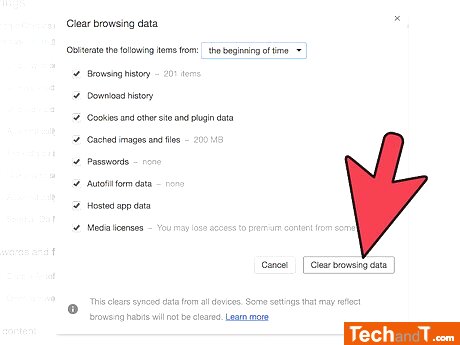
Once you have done so, it will erase any traces of websites that you visited which would have been prohibited by your parents.
Step 4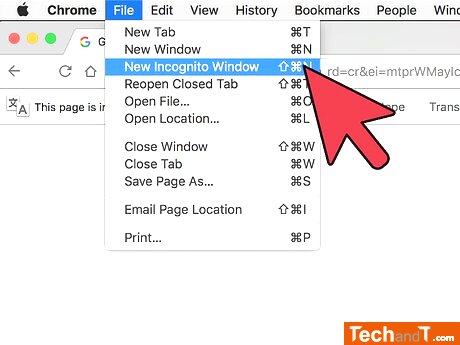
Most popular web browsers have an option for Incognito Mode, which is a special window within the browser which does not store any internet data, history, or cache. To access this feature in Internet Explorer, simply press Ctrl+⇧ Shift+P and to exit, press the same keys. For Firefox, likewise, press Ctrl+⇧ Shift+P to enter and exit Incognito mode. For Google Chrome, press Ctrl+⇧ Shift+N to enter Incognito Mode, and close the window to exit.
TimeScale:
Approx. Time Required: 8 Minutes